/ blog
UI design and visual interface for your AI detection browser extension, TextLens.
Designing the frontend experience for TextLens. A look at the dark mode pop-up interface and the color-coded visual signals for AI detection, continuing from our architecture blueprint.
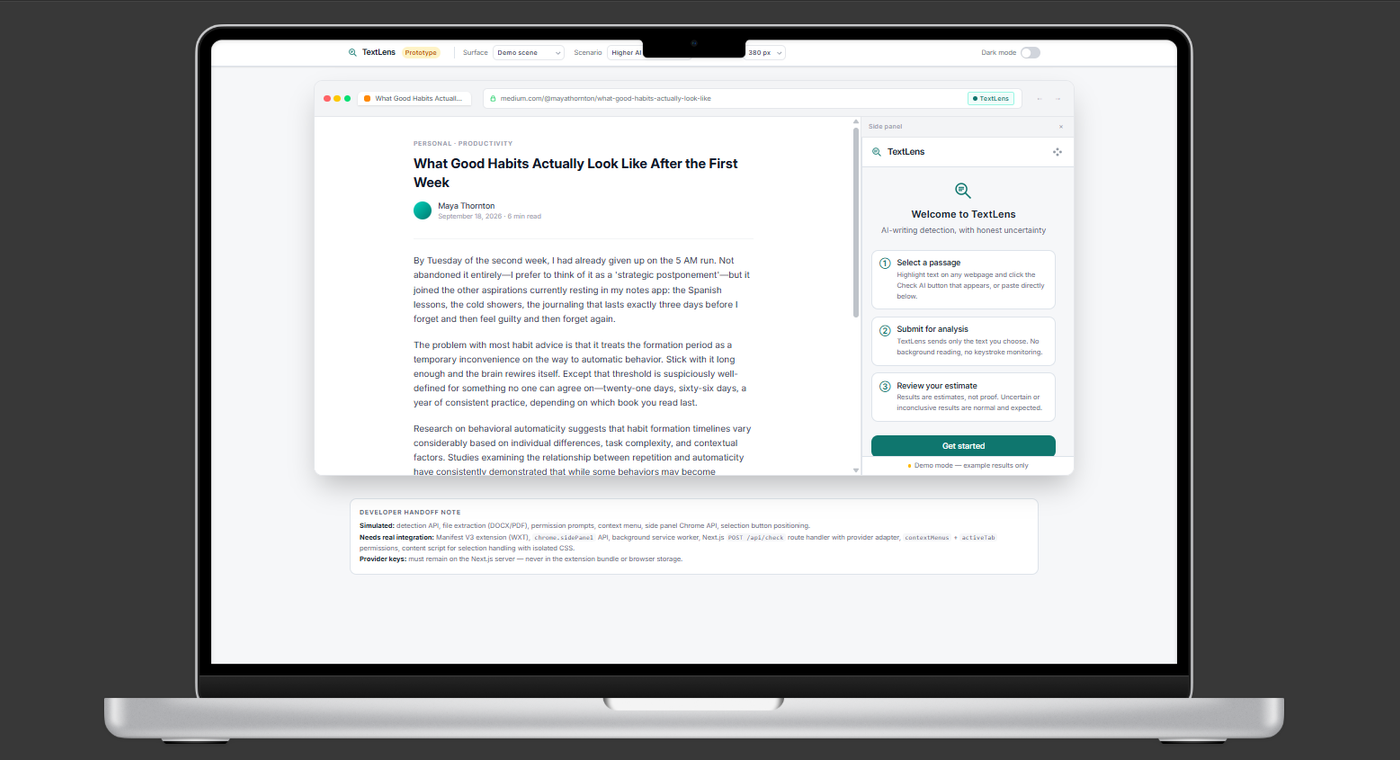
Welcome back to the build! Following up on my post from on yesterday, where I laid out the blueprint for a seamless web extension, it's time to start putting a face on this project. We know the extension needs to live directly in the browser, so today I'm stepping into the UI design phase to build the actual pop-up interface users will interact with.
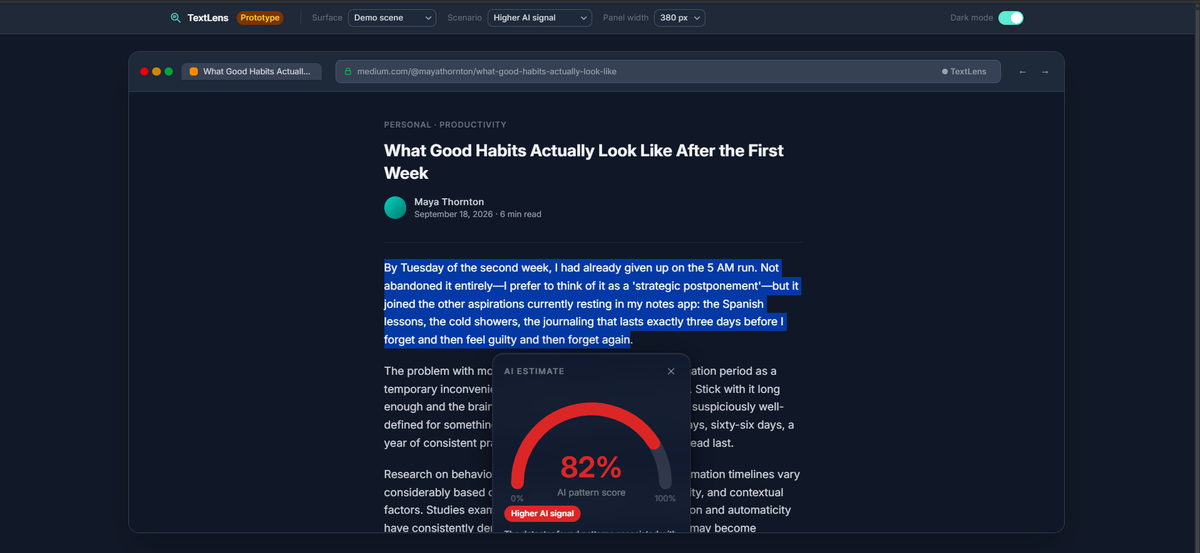
I'm calling the prototype TextLens. The goal is to make the experience as frictionless as possible. When a user highlights text on a webpage like a blog post or an article the TextLens pop-up will overlay directly on the screen to deliver the AI estimate. I've designed the UI with a sleek dark mode and light mode aesthetic, featuring a prominent gauge meter and a clear "AI pattern score" percentage so the results are instantly readable.
Visual communication is key here. Users shouldn't have to guess what the numbers mean, so I've created distinct color-coded states based on the detection signals.
When the AI Likelihood is High: The gauge fills with red, clearly flagging a "Higher AI signal" alongside the high percentage score (like the 82% shown in the current prototype). It's designed to be an immediate visual indicator that the highlighted text contains strong patterns associated with AI generation.
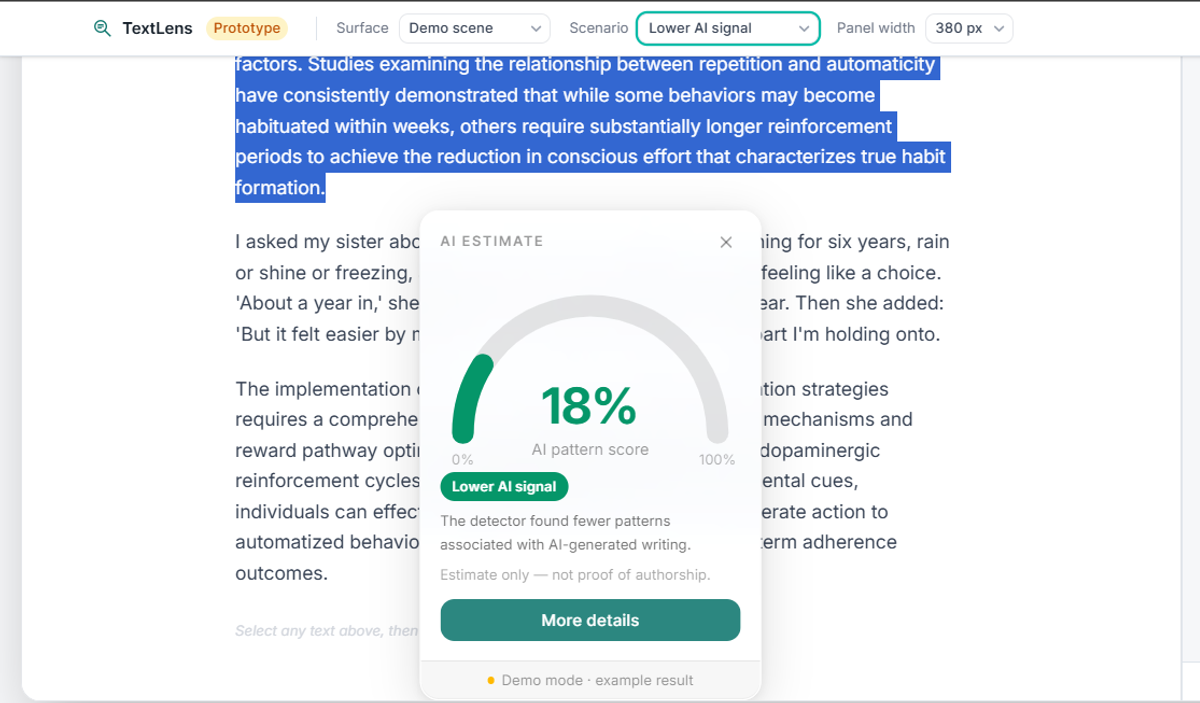
When the AI Likelihood is Low:
Conversely, when the text passes as human-written, the interface will shift to a more reassuring visual state, likely using cool tones like green or blue to indicate a "Lower AI signal" and a low percentage.
Getting the visual hierarchy right in these prototypes is crucial before translating the CSS into our browser extension. Next time, we'll start writing the frontend code to inject this exact UI onto live webpages.
What did you think?
Leave a reaction or join the conversation.
Loading discussion…
Comments
Your name and comment will be visible to other readers.