/ blog
Progress Update: Wiring Up the Core Logic for the AI Detector
Excerpt: Diving into the backend architecture of my AI detection tool, mapping out the core TypeScript logic for text validation, and getting the API endpoints running locally.
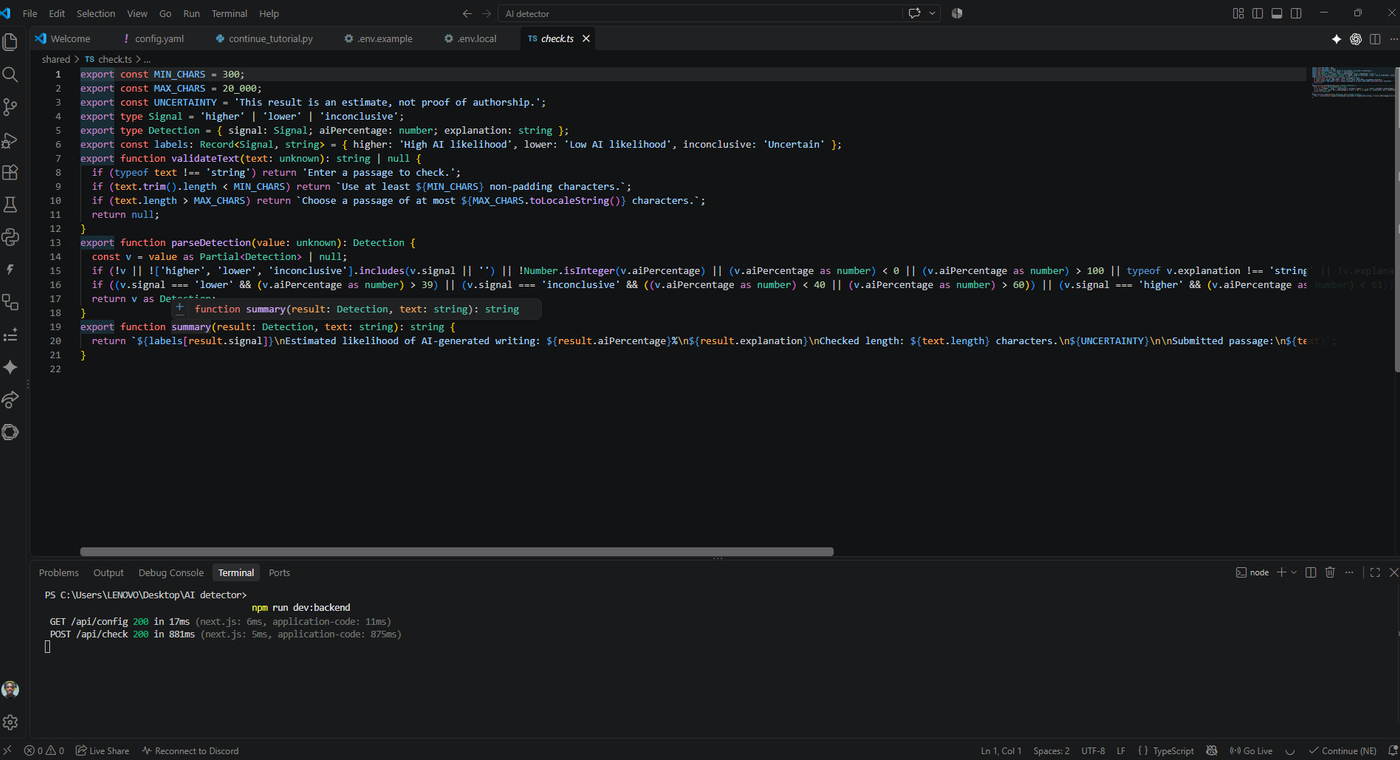
Welcome back to the build! In my last post, I shared the blueprint for our AI detection tool: a seamless, Grammarly-style browser extension. Today, I'm excited to share that the blueprint is officially turning into code.
I've been deep in Visual Studio Code, focusing heavily on the backend architecture and data validation. Before we can show a sleek pop-up to the user, we need a robust engine to process the text properly.
Currently, I'm building out the core logic in TypeScript, specifically working on the check.ts file. One of the first things I tackled was text validation to ensure the detection model has enough context to make an accurate assessment. I've configured strict boundaries: the tool requires a minimum of 300 non-padding characters and caps out at 20,000 characters per scan. If a user tries to scan a snippet that's too short or too long, the application will catch it and gracefully prompt them to adjust their selection.
The real heavy lifting happens in the detection parsing logic. I've written out the functions that take the raw analysis and categorize the text's AI likelihood into three clear signals: 'higher', 'lower', or 'inconclusive'. The system is designed to map out a specific AI percentage and generate a clean summary. This summary details the estimated likelihood of AI generation, explains the reasoning, checks the length, and includes a necessary disclaimer that the result is an estimate, not definitive proof of authorship.
The best part? The backend API is officially alive. Running my local development environment (npm run dev:backend), I'm successfully routing data. The terminal is actively showing successful 200 status codes for the GET /api/config and POST /api/check endpoints, meaning the application is efficiently processing the text submissions in under a second.
The backend foundation is solidifying. Next up, I'll be bridging this API logic with the frontend extension interface so we can start seeing these detection summaries pop up live on webpages. The pieces are coming together stay tuned for the next update!
What did you think?
Leave a reaction or join the conversation.
Loading discussion…
Comments
Your name and comment will be visible to other readers.